
We Built
an APP for Professionals
Finding the right job just got easier. Our app connects skilled professionals with employers who value your experience. Get matched, apply fast, and take control of your career—anytime, anywhere.


We Built
an APP for Professionals
Finding the right job just got easier. Our app connects skilled professionals with employers who value your experience. Get matched, apply fast, and take control of your career—anytime, anywhere.
FEATURES
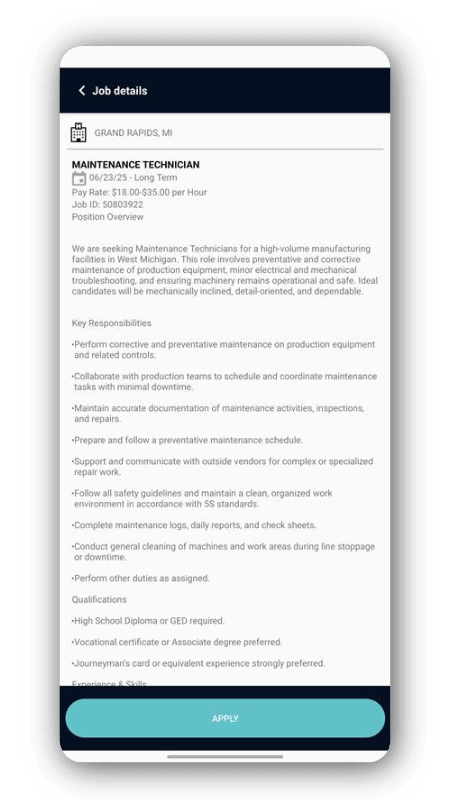
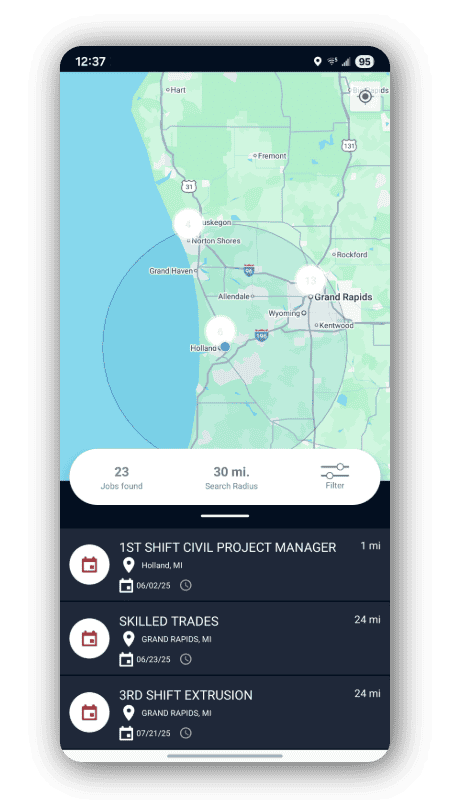
Find opportunities that fit you. Explore open positions, filter by shift or location, and apply with just a few taps.
Find opportunities that fit you. Explore open positions, filter by shift or location, and apply with just a few taps.
Get hired on your terms. Receive instant job offers and accept positions directly through the app — anytime, anywhere.
Stay on top of every paycheck. View your hours, earnings, and payment history in real time — all in one place.
Take Control OF YOUR FuTURE
Take charge of your career with the TeamWORKFORCE app. Discover opportunities that fit your skills, apply in seconds, and stay connected with employers who value your experience—anytime, anywhere.

FEATURES
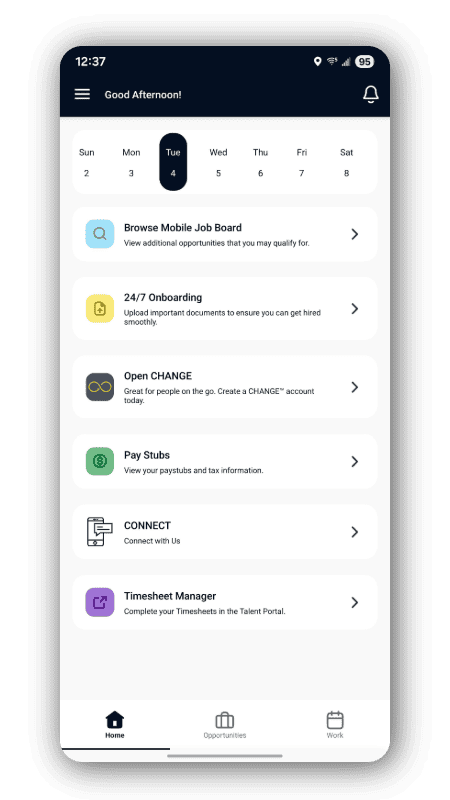
Complete forms and tasks right from your phone for faster starts and a smooth onboarding experience.
Find opportunities that fit you. Explore open positions, filter by shift or location, and apply with just a few taps.
Get hired on your terms. Receive instant job offers and accept positions directly through the app — anytime, anywhere.
Stay on top of every paycheck. View your hours, earnings, and payment history in real time — all in one place.
Take Control OF YOUR FuTURE
Take charge of your career with the TeamWORKFORCE app. Discover opportunities that fit your skills, apply in seconds, and stay connected with employers who value your experience—anytime, anywhere.
Frequently Asked Questions
What is the TeamWORKFORCE App?
TeamWORKFORCE is the mobile app that connects you with your staffing agency: find jobs, check schedules, manage time-keeping, view pay & tax statements, and stay updated on assignments—all in one place. It’s built on the same strong foundation as Avionté 24/7.
Which features are available in the app?
The TeamWORKFORCE app offers a range of features including job alerts and job application, mobile timekeeping and scheduling, access to pay statements and tax forms, and digital onboarding tools to complete forms and tasks directly within the app.
What devices and operating systems are supported?
TeamWORKFORCE supports both iOS and Android mobile devices.
How secure is my data in TeamWORKFORCE?
TeamWORKFORCE keeps your information secure with SmartLink verification for identity protection, time-limited session tokens for added safety, and masking of sensitive details like bank account numbers. If you ever suspect unauthorized access, you should contact your IT@TeamWORKFORCE.com right away.
What do I do if I have trouble logging in, can’t see pay statements, or other issues?
If you experience any issues logging in, viewing pay statements, or using the app, please reach out to your WORKFORCE representative at 616-396-3700 or email IT@TeamWORKFORCE.com for assistance.
Frequently Asked Questions
What is the TeamWORKFORCE App?
TeamWORKFORCE is the mobile app that connects you with your staffing agency: find jobs, check schedules, manage time-keeping, view pay & tax statements, and stay updated on assignments—all in one place. It’s built on the same strong foundation as Avionté 24/7.
Which features are available in the app?
The TeamWORKFORCE app offers a range of features including job alerts and job application, mobile timekeeping and scheduling, access to pay statements and tax forms, and digital onboarding tools to complete forms and tasks directly within the app.
What devices and operating systems are supported?
TeamWORKFORCE supports both iOS and Android mobile devices.
How secure is my data in TeamWORKFORCE?
TeamWORKFORCE keeps your information secure with SmartLink verification for identity protection, time-limited session tokens for added safety, and masking of sensitive details like bank account numbers. If you ever suspect unauthorized access, you should contact your IT@TeamWORKFORCE.com right away.
What do I do if I have trouble logging in, can’t see pay statements, or other issues?
If you experience any issues logging in, viewing pay statements, or using the app, please reach out to your WORKFORCE representative at 616-396-3700 or email IT@TeamWORKFORCE.com for assistance.
DOWNLOAD NOW
Download the TeamWORKFORCE app today and take your next step toward a better career.
DOWNLOAD NOW!
Take charge of your career with the TeamWORKFORCE app. Discover opportunities that fit your skills, apply in seconds, and stay connected with employers who value your experience—anytime, anywhere.